Perler Bead Pattern Generator
Turn any photo or image into a printable perler bead pattern with a grid overlay, matched bead colors, and an exact per-color bead count. Set the width to fit your pegboard, then download a PDF — free, in your browser, no signup.
See it in action
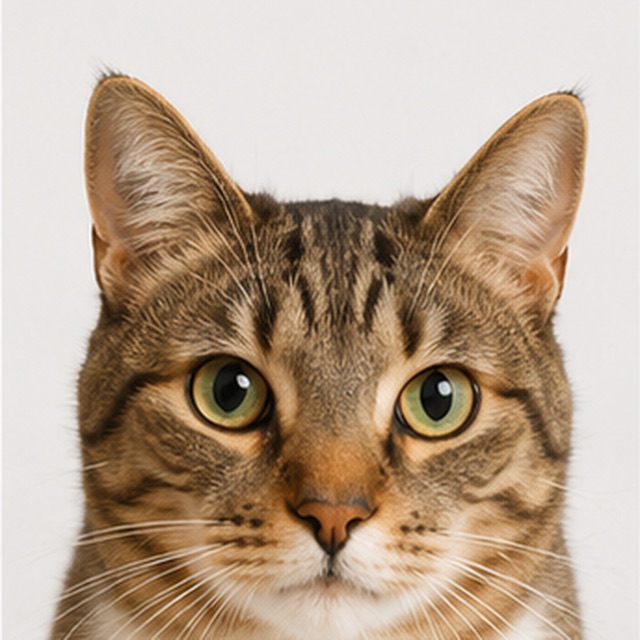
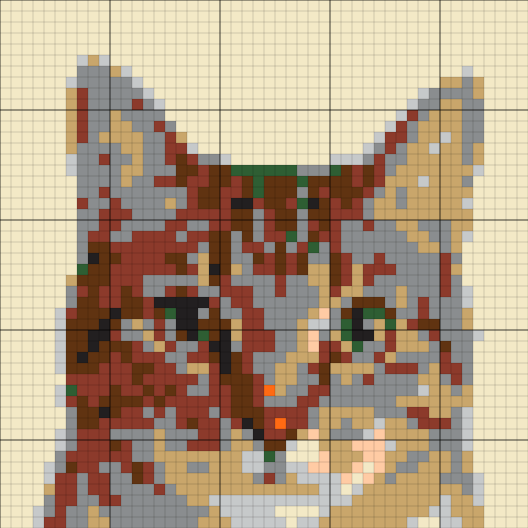
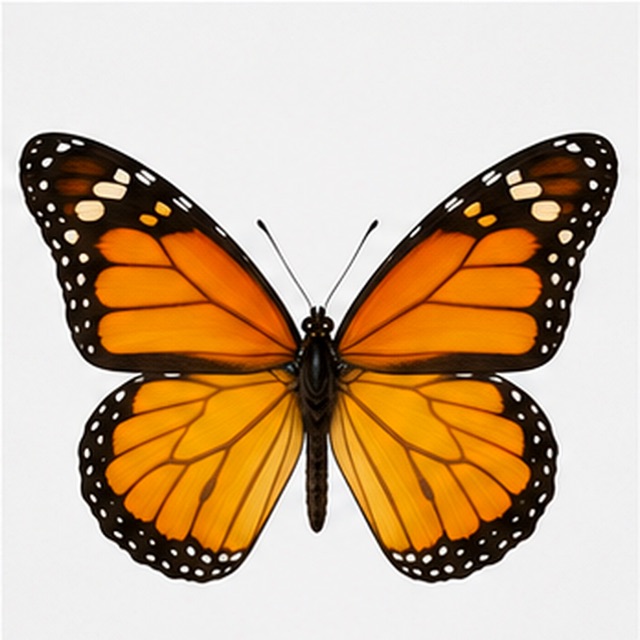
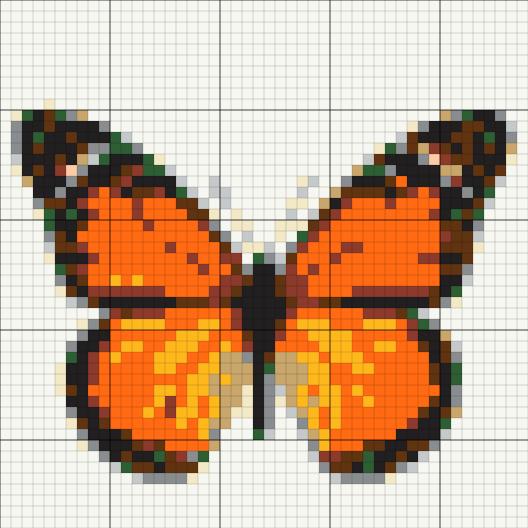
Upload your image
It is matched to standard bead colors locally in your browser — nothing is sent anywhere.
Set the size & read the counts
Choose how many beads wide, then see exactly how many beads of each color you need.
Print the pattern
Download a printable PDF with the grid and a color legend, then start pegging.
How to make a bead pattern that works
- Width in beads
- This is the master control, because it maps directly onto physical hardware: a standard square pegboard holds 29×29 beads, so a 29-wide pattern is one board, 58-wide is four boards in a 2×2 block, and 87-wide is nine. Every step up multiplies the bead count and the pegging time, so start small — a first project on a single board finishes in an evening.
- Bead colors
- The generator does not invent colors. Every cell in the pattern is matched to a real, commonly sold fuse-bead color, which means the legend is also a shopping list — each color in the chart is one you can actually buy for Perler, Hama, or Artkal-style beads.
- Color count
- Fewer colors makes a pattern easier to peg, cheaper to buy for, and bolder to look at. Most designs read best with 8–15 bead colors. Remember that unlike screen pixels, physical beads cannot blend — every color in the legend is a tub you need on the table, so each one you cut is real money and real sorting time saved.
- Bead counts in the legend
- The legend tallies exactly how many beads of each color the pattern needs, updating live as you change the width. Check it against your stash before you start — running out of a skin tone at row 40 is the classic fuse-bead disaster, and the count exists to prevent it.
- Grid and printing
- The pattern prints with a full grid and a bold line every 10 cells, which is what makes it followable — you count in blocks of ten, not one cell at a time. Large patterns paginate across A4 pages automatically so nothing shrinks below readable size.
- Keep the source simple
- Bold images with clear outlines survive bead resolution; fine detail does not. Crop tight to your subject before uploading so every bead is spent on the thing you actually want to make.
Great for beads
- Game characters, emoji, and mascot-style art
- Logos and icons with a few flat colors
- Bold illustrations with strong outlines
- Pixel art — it is already the right shape for a bead grid
- Simple animals and objects cropped close
Simplify first
- Photos with soft shading — beads need flat colors; cut the color count hard
- Wide scenes with a small subject — crop until the subject fills the frame
- Fine text — letters need about 5 beads of height to stay readable
- Very large patterns — a 116-wide piece is 16 boards and over 13,000 beads; work up to it
How the pattern generator matches image colors to bead colors
A photo contains thousands of soft, blended colors; a bead pattern can only use colors that exist as physical plastic. The generator bridges that gap in two steps. First it reduces your image to a grid at your chosen width, averaging each cell down to a single tone. Then it maps each tone to the nearest real fuse-bead color, so the pattern that comes out is buildable exactly as drawn — no imaginary in-between shades, no colors you cannot buy.
This is the practical difference between a perler bead pattern generator and a generic pixel art converter. A pixel converter is free to pick any 16 colors that flatter the image; this tool is constrained to the bead wall at the craft store, and the legend it prints doubles as the shopping list. If a color in the result looks slightly off from the original photo, that is the tool being honest about what plastic exists.
Picking a grid size that fits your pegboard
Fuse-bead hardware is standardized enough to plan around. The common square pegboard is 29×29 pegs, and large projects are made by clipping boards together into a rectangle. That gives grid math a physical meaning:
- 29 beads wide — one board, up to 841 beads. An evening project, and the right size for a first attempt.
- 58 beads wide — a 2×2 block of four boards, up to 3,364 beads. A weekend piece with room for real detail.
- 87 beads wide — a 3×3 block of nine boards, up to 7,569 beads. Poster territory; plan color purchases from the legend first.
- In-between sizes work too — a 40×40 pattern simply spans parts of four boards, and the printed grid shows exactly where board seams fall.
How many colors should a bead pattern use?
The sweet spot for most projects is 8–15 colors, and the reasons are physical rather than aesthetic. Every color is a separate tub to buy, sort, and keep within reach while pegging. Every extra color also makes the chart harder to follow, because close shades become hard to tell apart on paper and harder still as loose beads.
Cutting colors is also, counterintuitively, what makes patterns look better. With six colors, a cartoon character becomes bold and readable from across the room; with thirty, it becomes a noisy approximation of the original image. Set the count low, look at the preview, and only add colors back when a shape you care about disappears. The legend updating live makes this a fast, visual decision rather than guesswork.
Pixel beads for kids and classrooms
Fuse beads are one of the best crafts for teaching pixel thinking — every bead is one pixel, and a finished piece is a physical bitmap. This generator fits classroom use well because the whole flow runs in the browser: no accounts to create for students, no photos uploaded anywhere, and the output is a printed page rather than a screen. Good classroom projects follow the same rules as good beginner projects:
- One board (29 wide) per student, so a session finishes in one sitting.
- Simple subjects — emoji, fruit, game characters, flags — that survive 6–10 colors.
- Print one pattern per student plus one master legend for whoever manages the bead supply.
- For younger kids, choose chunkier subjects at 20–24 beads wide so the shapes stay obvious.
From printed pattern to finished piece
The workflow after the download is pleasantly analog. Print the PDF at 100% scale, put the first page next to your pegboard, and work in the 10×10 blocks the bold gridlines mark out — most people finish a block before moving on, which makes losing your place nearly impossible. Peg colors from most-used to least-used so the big fills go down while your attention is fresh.
When the board is full, cover it with ironing paper and fuse with a medium-hot iron in slow circles until the beads just melt together, then flip and repeat. Multi-board pieces are easier to iron one board at a time and join at the end. The whole craft rewards patience over skill — which is exactly why a clear, counted pattern matters more than anything else you bring to the table.
Works with Perler, Hama, and Artkal beads
The generator matches against common fuse-bead colors shared across the major midi (5mm) brands, so the printed chart works whether your beads say Perler, Hama, or Artkal on the tub. Brand color names differ, but the legend is visual — you match beads to the printed swatch, not to a name. For photo-specific projects, portraits, and pets, the Photo to Bead Pattern page tunes the same engine toward photographs; for a brand-free numbered chart usable with any craft, see the Pixel Art Grid Generator.
Frequently asked questions
How many beads will I need?
The legend shows a per-color bead count and the total, updating live as you change the width. A single 29×29 board holds up to 841 beads; a 2×2 block of boards holds up to 3,364.
Which bead brands does the pattern work with?
The colors are matched to common fuse-bead shades shared by Perler, Hama, and Artkal-style midi (5mm) beads. You match beads to the printed color swatches, so the chart is brand-agnostic.
Can I print the pattern?
Yes — download a printable PDF with the full grid, bold lines every 10 cells, and the color legend with counts. Large patterns paginate across pages automatically. A PNG export is available too.
What size should my first pattern be?
One standard board — 29 beads wide. It finishes in an evening, teaches you the workflow, and costs little if a color choice does not work out. Scale up to multi-board pieces once one board feels easy.
How many colors should I pick?
Start at 8–12 and only add more when a shape you care about disappears. Every color is a real tub of beads to buy and sort, and patterns with fewer colors look bolder, not worse.
Does this fuse bead pattern maker work for photos?
Yes, with tight cropping and a modest color count — but photos are their own craft. The Photo to Bead Pattern page uses the same engine with photo-first guidance for portraits and pets.
How big is a finished piece in real life?
Midi fuse beads are about 5mm before ironing, so a 29-bead board is roughly 14.5cm (5.7in) square, and a 58-bead piece is about 29cm (11.4in). The pattern width in beads times 5mm gives the finished size.
Can I make a pattern from pixel art I already have?
Absolutely — pixel art is the ideal input because it is already flat-colored and grid-shaped. Upload it at a width matching its pixel dimensions and the pattern reproduces it almost exactly in bead colors.
Is my image uploaded to a server?
No. Color matching, the grid, the counts, and the PDF are all generated in your browser. Your photo never leaves your device.
Is this perler bead pattern generator free?
Yes — free with no signup, no watermark, and no limit on patterns or PDF downloads.
Related pixel tools
The photo-first version, tuned for portraits and pets.
A brand-free printable grid for any craft.
Turn a photo into pixel art first, then bead it.
The full step-by-step guide.
Build the same image in Minecraft blocks instead.